How people opt in to Automated Life text alerts
Opting in happens on a private page of the Automated Life dashboard, which requires sign-in. Below is a screenshot and a PDF of that real screen, captured 2026-10-02, showing the checkbox unchecked by default and the full consent text.
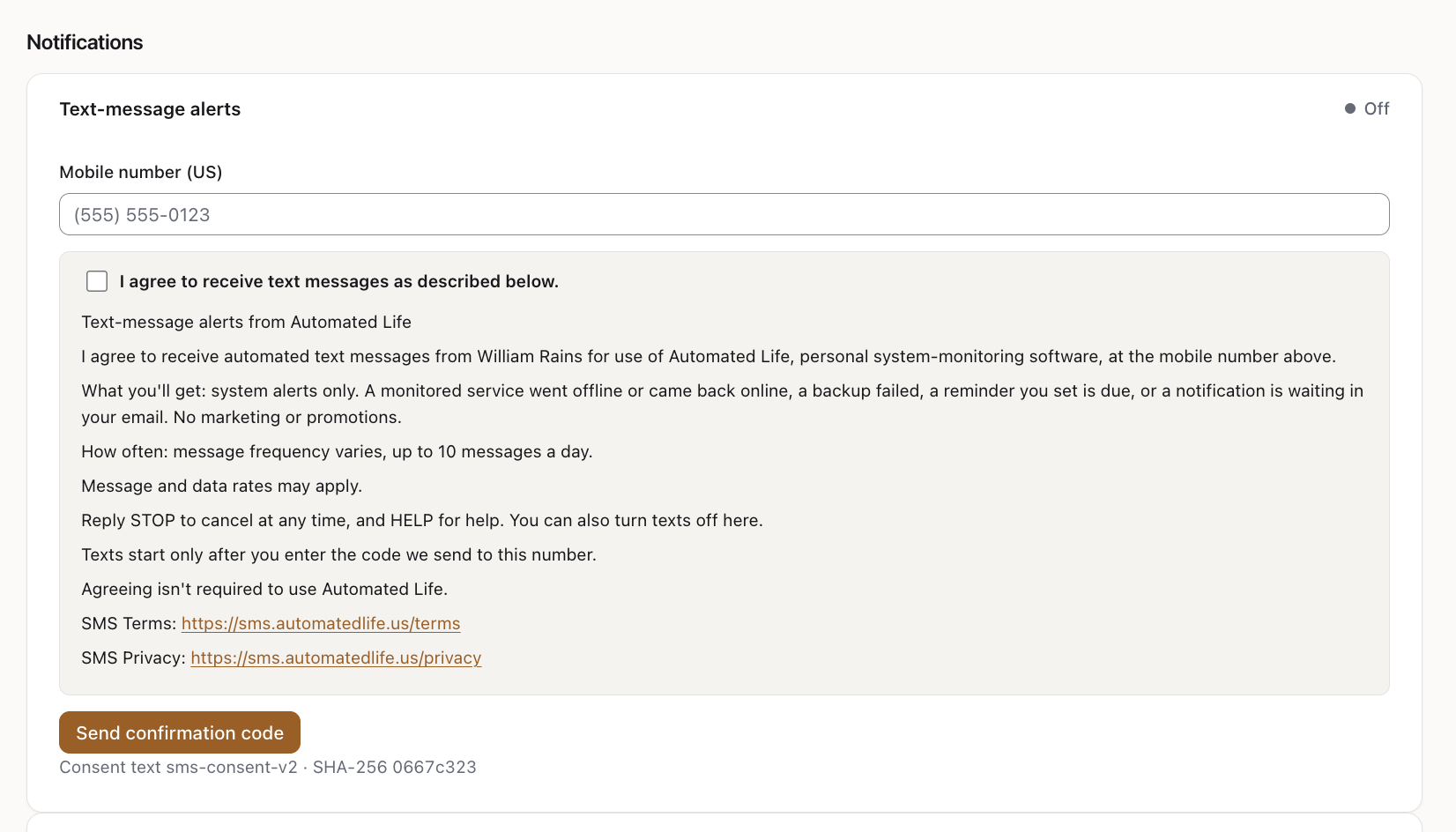
The flow
- The person signs in, opens Settings, then Notifications, and enters their mobile number.
- They check the box beside the consent text below. It is unchecked by default.
- They receive a 6-digit code by text and enter it on the screen. Texts begin only after that.
The consent text
Version sms-consent-v2 · SHA-256 0667c323c06c9caccbefe3ba72bf4c48d89d96dae7f4c85a82913b3bddc0ee4b